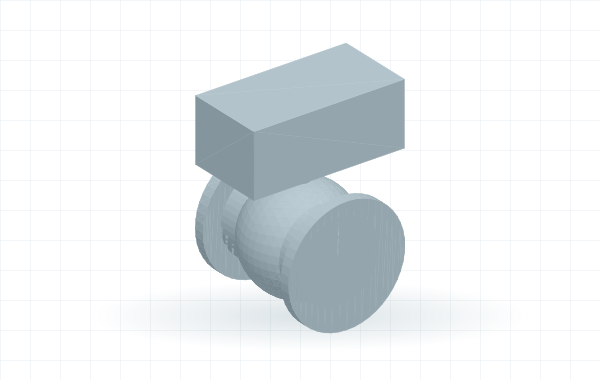
Turn product dimensions into valves, instruments and custom piping parts. Model visually, create a family of sizes and generate your Plant 3D Python script. No Python coding needed.
Free to model · Runs in your browser · Free account for Python export
Start from a model or add shapes. Enter dimensions in millimetres and inspect the result in 3D.
2
Define connections & sizes
Set the pipe ports, end types and dimensions for each size in your family.
3
Save & export
Keep an editable model. Export Python for one size or a ZIP with family data and images.
4
Test & add to your spec
Install and register in Plant 3D, then use Spec Editor to add the tested part to a catalog and spec.
What do I need?
To design: just your browserModel, edit dimensions, save editable files and explore starters without signing in.
To generate Python: a free RKCadTools accountSign in when you are ready to export. Geometry is sent to RKCadTools to generate the script; reference images stay on your device.
To use the result: AutoCAD Plant 3DInstall the script manually, or send it directly with the licensed RKCadTools plugin and paired browser extension.
A few useful things to know
Do I need to know Python?
No. Build your component visually and Studio generates the script from your model. The Python panel lets experienced users inspect the generated result.
Does this create a finished Plant catalog?
Studio creates the geometry script, connection data and size tables. Install, register and test the script in Plant 3D, then create the catalog and spec entries with Autodesk Spec Editor. A CSV export is not a PCAT catalog.
Is my work saved automatically?
No. Use Save to keep an editable copy in this browser or on your computer. Browser saves belong to this device and are removed if you clear the site's browser data.
Can I use the example dimensions for a real product?
The examples are starting shapes. Replace their dimensions and connection settings with your manufacturer's data, then test every size in Plant 3D.
Export…
3D workspaceLoading geometry engine…View options
ShapesMore shapes
Add to model
Part actions
Parametric dimension sketch
Select a size, then a parameter or dimension. Highlighted dimensions show what you are changing. Ø = diameter; values are millimetres. Numeric fields accept + - * / and parentheses; Enter or leaving the field keeps the expression and uses its calculated value. This is a mesh projection, not a manufacturing drawing.
Dimensions & placement
Dimensions use diameter (Ø). Enter calculations such as 100/2 or (80+20)*2; press Enter or leave the field to apply. The expression stays visible and is saved with the model.
Select a part · Edit a dimension or drag its amber grip · Connect grips to attach · Drag the background to orbit
Dimensions X × Y × Z—
Solid volume—
Plant verificationNot verified
Component checks
Preparing your workspace…
Plant readiness checklist
Preview is a mesh simulation. Final geometry and catalog compatibility must be checked in Plant 3D.
Your component starts here
Add a shape and enter its dimensions, or choose an editable starter from the library. Use Undo while you build.